
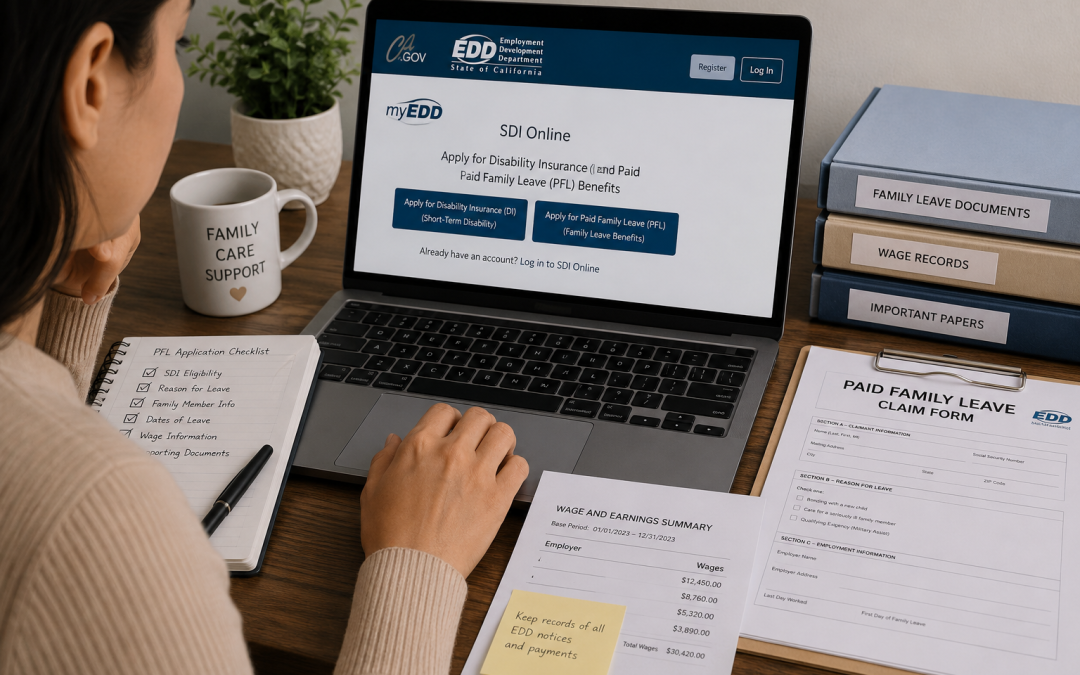
California Paid Family Leave benefits provide short-term wage replacement for eligible workers who need time away from work to care for a seriously ill family member, bond with a new child, or participate in certain qualifying military-related events. PFL benefits come through the Employment Development Department, often called the EDD.
Paid Family Leave can help replace part of a worker’s income during a qualifying family leave period. However, PFL provides benefit payments, not automatic job protection. Job protection may come from another law, such as CFRA or FMLA, depending on the worker, employer, and reason for leave.
Who Qualifies for California Paid Family Leave?
A worker may qualify for California Paid Family Leave after paying into State Disability Insurance and meeting the EDD’s eligibility rules. The EDD states that workers must have earned at least $300 and paid into SDI during the last 18 months to qualify for Paid Family Leave.
PFL may apply when a worker takes time off to:
- Care for a seriously ill family member
- Bond with a new child
- Support a family member during a qualifying military event
Covered family members may include a child, parent, parent-in-law, grandparent, grandchild, sibling, spouse, or registered domestic partner. Bonding claims may involve birth, adoption, or foster care placement.
When to Apply for PFL Benefits
Timing depends on the reason for leave. A worker should usually apply after the qualifying leave begins, not before. The EDD’s claim process explains that PFL provides short-term wage replacement benefits to eligible California workers who need time off work for family leave.
For bonding leave, the claim generally must relate to time off within the first year after the child’s birth, adoption, or foster placement. For caregiving leave, the claim should connect to care for a qualifying family member with a serious health condition. Military-assist claims require facts tied to a qualifying military event.
A new parent who previously received Disability Insurance for pregnancy or childbirth may have a smoother transition. The EDD explains that new mothers transitioning from a disability-related pregnancy claim can find the PFL “New Mother” claim form in their SDI Online inbox after the Disability Insurance claim ends.
How to Apply Through SDI Online
The fastest way to apply is usually through SDI Online. The EDD states that workers must create a myEDD account before using SDI Online to apply for Disability Insurance or Paid Family Leave.
A worker applying online generally needs to:
- Create or log in to myEDD
- Open SDI Online
- Choose a Paid Family Leave claim
- Complete the claimant sections
- Provide employer and wage information
- Identify the leave reason
- Submit supporting information
- Watch for EDD messages or requests
Some applicants may also need to complete identity verification through ID.me before finishing a new SDI Online account. The EDD’s filing guide explains that applicants may need identity verification before they can complete account setup and file a claim.
Documents and Information Needed
The exact documents depend on the type of PFL claim. A bonding claim usually differs from a caregiving claim or military-assist claim.
Helpful information may include:
- Social Security number
- Employer name and address
- Last day worked
- First day of family leave
- Wage or payroll records
- Proof of relationship for bonding claims
- Medical certification for caregiving claims
- Military-related documents, if applicable
- SDI Online account information
For caregiving claims, a medical provider may need to certify the family member’s serious health condition. For bonding claims, the EDD may request proof of birth, adoption, or foster placement.
How Much California PFL Pays
California PFL pays partial wage replacement. The exact weekly benefit amount depends on the worker’s earnings during the base period. The EDD explains that a worker must have paid into SDI during the base period and meet eligibility requirements to receive benefit payments.
Other income may affect benefit payments. Sick leave, paid time off, employer-paid leave, or wages earned while receiving PFL may change the amount payable. Because payment calculations depend on the claim start date and base-period wages, the EDD’s benefit calculator or claim notice can help confirm the estimated amount.
PFL and Job Protection
PFL provides wage replacement only. The EDD makes clear that PFL does not provide job protection, although other laws such as FMLA or CFRA may protect a worker’s job during leave.
This distinction matters. A worker may receive PFL payments and still need a separate job-protection law to protect reinstatement. California Family Rights Act leave, pregnancy disability leave, reasonable accommodation leave, paid sick leave, or employer policies may also matter depending on the reason for time off.
Her Lawyer’s article on California pregnancy disability leave explains how pregnancy disability leave and bonding leave can interact after childbirth.
What Happens After Filing?
After the worker files a claim, the EDD may review eligibility, wages, identity, employer information, and supporting documents. The EDD may send notices through SDI Online or by mail.
A worker should respond quickly to EDD requests. Missing information can delay payment or lead to a denial. If the EDD denies the claim, the worker may have appeal rights, but deadlines may apply.
The claimant should also keep records. Helpful records may include the submitted application, confirmation number, EDD notices, employer leave approval, wage records, medical certification, proof of relationship, and any appeal paperwork.
FAQs About California PFL Benefits
How long can California Paid Family Leave last?
California PFL can provide up to eight weeks of benefit payments during a qualifying family leave period. The leave may be taken all at once or in parts when the claim qualifies.
Does PFL protect a worker’s job?
No. PFL provides wage replacement, not job protection. Job protection may come from CFRA, FMLA, pregnancy disability leave, disability accommodation laws, or employer policy.
Can a worker apply for PFL before leave starts?
PFL claims usually begin after the worker starts qualifying family leave. Filing too early may create processing problems or require additional information.
Can a new mother move from SDI to PFL?
Yes. A new mother who received Disability Insurance for pregnancy or childbirth may transition to PFL for bonding. The EDD provides the PFL New Mother claim form through SDI Online after the DI claim ends.
Legal Help With California PFL Benefits
California Paid Family Leave can affect income, bonding time, caregiving responsibilities, job protection, employer leave policies, and return-to-work planning. A strong next step often depends on the reason for leave, SDI history, employer size, job-protection laws, documents, and any denial or retaliation issue.
Her Lawyer, A Professional Law Corporation, assists with California employment matters involving paid family leave, pregnancy leave, family leave, disability accommodation, retaliation, and workplace rights. Contact Her Lawyer to request a confidential consultation and discuss possible next steps.